
Google Business Profile Verification in South Africa: Video, Methods and How Long It Takes (2026)
Getting stuck at verification is one of the most common reasons South African businesses never show up on Google Maps. You create the profile, Google asks you to verify, and then nothing happens: the video gets rejected, the postcard never arrives, or the profile sits on “under review” for weeks. Until the profile is verified, customers cannot find it.
This guide explains how Google Business Profile verification works in South Africa in 2026: the verification methods, how to record a video that passes, what to do if you are not offered a video option, how long it takes and what to do when it keeps failing. If you have not created your profile yet, start with our Google Business Profile setup guide.
The short answer
- Google chooses the verification method, not you. It depends on your category, location and what Google already knows about your business.
- Most South African businesses are asked for a video showing the business location, equipment and proof that you manage it.
- Reviews usually take a few business days, but some take longer, especially if Google asks for more information.
- Most failures come from mismatched details: a name, address or category that does not match what the video and the rest of the internet show.
Why Google makes you verify
Verification is how Google confirms that a real business operates where it says it does, and that you are allowed to manage it. Fake listings for locksmiths, plumbers and towing services are a long-running problem on Google Maps, so trades and home-service categories are checked more strictly than many others. Verification protects you too, because it stops someone else from taking over your listing.
The verification methods
When you click Get verified in your profile, Google shows the methods available for that business. You may see one or more of these:
- Video recording: you record and upload a short, continuous video of your business. This is the most common method for South African businesses in 2026.
- Live video call: a Google support agent asks you to show your business on a video call.
- Phone or SMS: Google sends a code to the business phone number.
- Email: Google sends a code to an email address, often one on your own domain.
- Postcard: Google posts a code to your business address. It is offered less often than it used to be, and South African post can be slow.
- Instant verification: if you have already verified your website in Google Search Console with the same Google account, your profile may be verified automatically.
You cannot pick a method Google has not offered. If you only see video, that is the route you need to take.
How to record a verification video that passes
Google wants one continuous, unedited recording that proves three things: where the business is, that it is a real operating business, and that you manage it. Plan the shot before you press record.
1. Show where you are
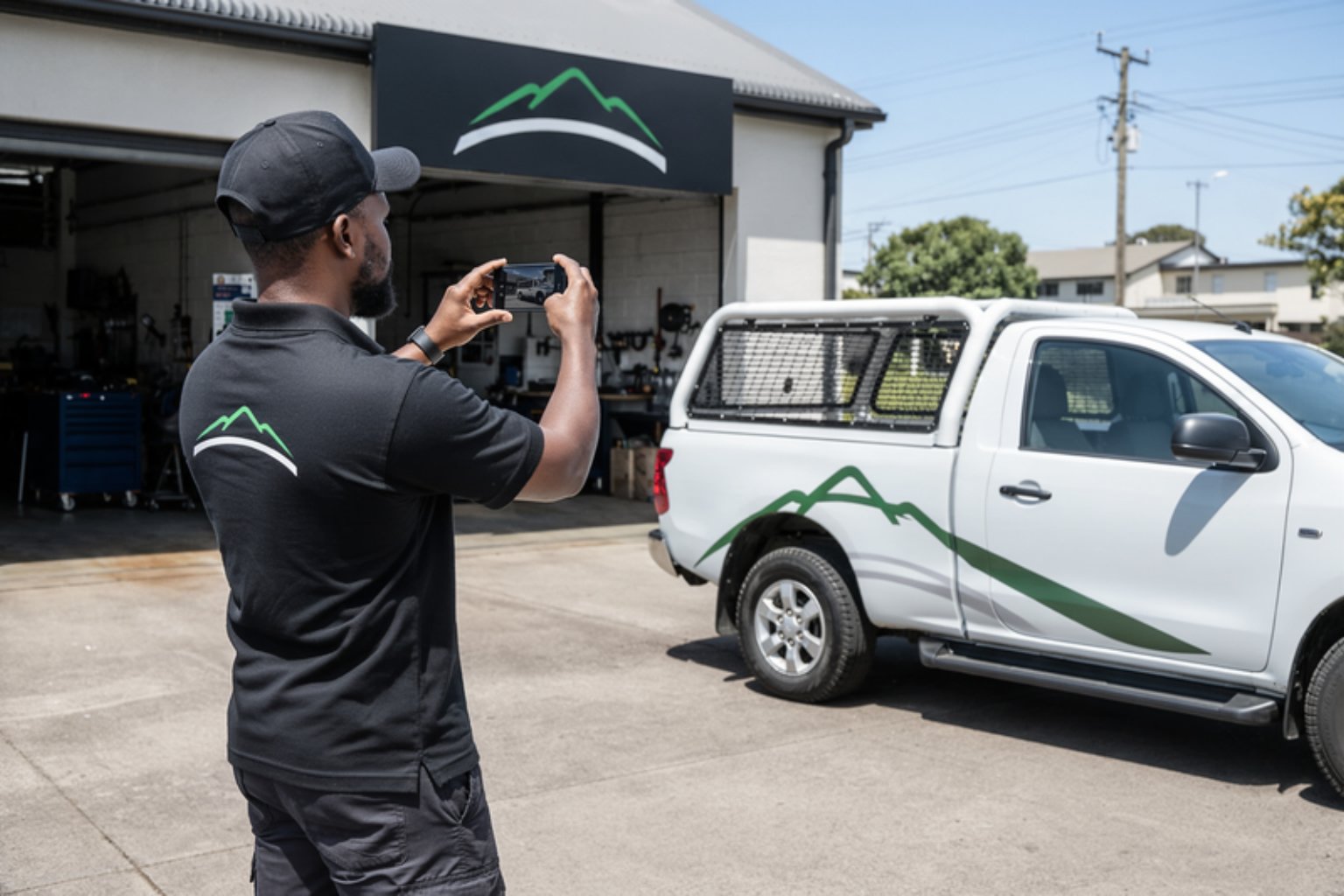
Start outside. Film the street name, nearby shops, landmarks or your street number so Google can match the location to the address or service area on your profile.
2. Show the business itself
- Shops, salons and offices: film your signage, the entrance and the inside of the premises.
- Tradespeople and service-area businesses: film your branded bakkie or trailer, your tools and equipment, and anything else that shows you do the work, such as stock or a job card with your business name.
3. Show that you manage it
Unlock the door, open the gate to your workshop, open the business till or card machine, or show your business registration documents or invoices with the business name. Anything that only an owner or manager could do or show helps.
Recording tips
- Record in one take. Do not cut, edit or add music.
- Film in daylight and keep the camera steady.
- Make sure the business name on your signage, vehicle or paperwork matches the name on your profile.
- Do not film other businesses’ branding as if it were yours, and do not film a home with no business evidence in it.
What if you are not offered a video option?
Sometimes Google offers no method at all, or only methods you cannot use. A few things are worth trying before you contact support:
- Check your details. Make sure your business name has no extra keywords, your category is correct and your address or service area is accurate.
- Wait and check again. The methods on offer can change after a few days, especially after you correct details.
- Make sure your business exists elsewhere online. A website, a Facebook page and listings that show the same name, phone number and area help Google trust the business.
- Contact Google Business Profile support from the help menu in your profile if no option appears.
Be wary of anyone who offers to verify your profile through a “trick” or a borrowed address. Profiles verified that way are often suspended later, and recovering them is harder than doing it properly the first time.
How long does verification take?
Phone, SMS, email and instant verification are usually immediate. Video recordings and live calls go to a review team, and Google says reviews usually take a few business days. Some take longer, especially in busy periods or when Google asks for more information. While you wait, your profile shows a status such as “verification pending” or “under review”.
Avoid editing your business name, address or category while a review is pending. Changes can restart the review or trigger a new verification.
Why verification fails, and what to do
- The video does not show the location clearly. Record again, starting with clear street signs or landmarks.
- The business name does not match. Remove keywords or locations you have added to the name, so it matches your signage and paperwork exactly.
- A service-area business shows a home with no business evidence. Focus on your branded vehicle, tools and paperwork instead.
- The address is a virtual office, PO box or PostNet box. Google does not accept these as business locations. Use a real address, or set yourself up as a service-area business with the address hidden.
- The category does not fit. Choose the category that describes what you actually do, not the one you think will rank best.
If verification is rejected, you can usually try again once the problem is fixed. If it fails repeatedly, contact support with your evidence rather than creating a new profile, because duplicate profiles are a common cause of suspension.
After you are verified
Verification is only the start. To actually appear in the map results when customers search, your profile needs the right categories, photos, services and a steady flow of reviews. Our guides on local SEO in South Africa and how to get more Google reviews cover what to do next.
Frequently asked questions
How long does Google Business Profile verification take in South Africa?
Phone, SMS, email and instant verification usually happen immediately. Video recordings and live video calls are reviewed by Google, which usually takes a few business days and sometimes longer.
Can I verify my Google Business Profile without a video?
Only if Google offers you another method, such as phone, email or instant verification through Search Console. You cannot choose a method Google has not offered. Correcting your details and waiting a few days can sometimes change the options.
What should a Google Business Profile verification video show?
One continuous, unedited clip showing your location (street signs or landmarks), your business (signage, equipment, branded vehicle or tools) and proof that you manage it (unlocking the premises, business documents or the till).
Why does my verification keep getting rejected?
Usually because the video does not clearly show the location or the business, the business name on the profile does not match your signage, or the address is a virtual office or PO box. Fix the mismatch and record again.
Can I use a PO box or PostNet address to verify?
No. Google does not accept PO boxes, PostNet boxes or virtual offices as business locations. Use your real premises, or set up as a service-area business with your address hidden.
Final thoughts
Verification is a gate, not a test of how good your business is. Get your name, address and category right, record one clear video that proves who and where you are, and be patient while Google reviews it. Doing it properly the first time saves weeks of frustration and the risk of a suspension later.
If you would rather hand it over, The Webster’s Google Business Profile management takes care of setup, verification and optimisation, and our Growth Pack gets your business into Google’s Top 3 on Maps in 90 days, or your next month is free. Get in touch to talk it through.